 URDF Studio
#URDF Studio
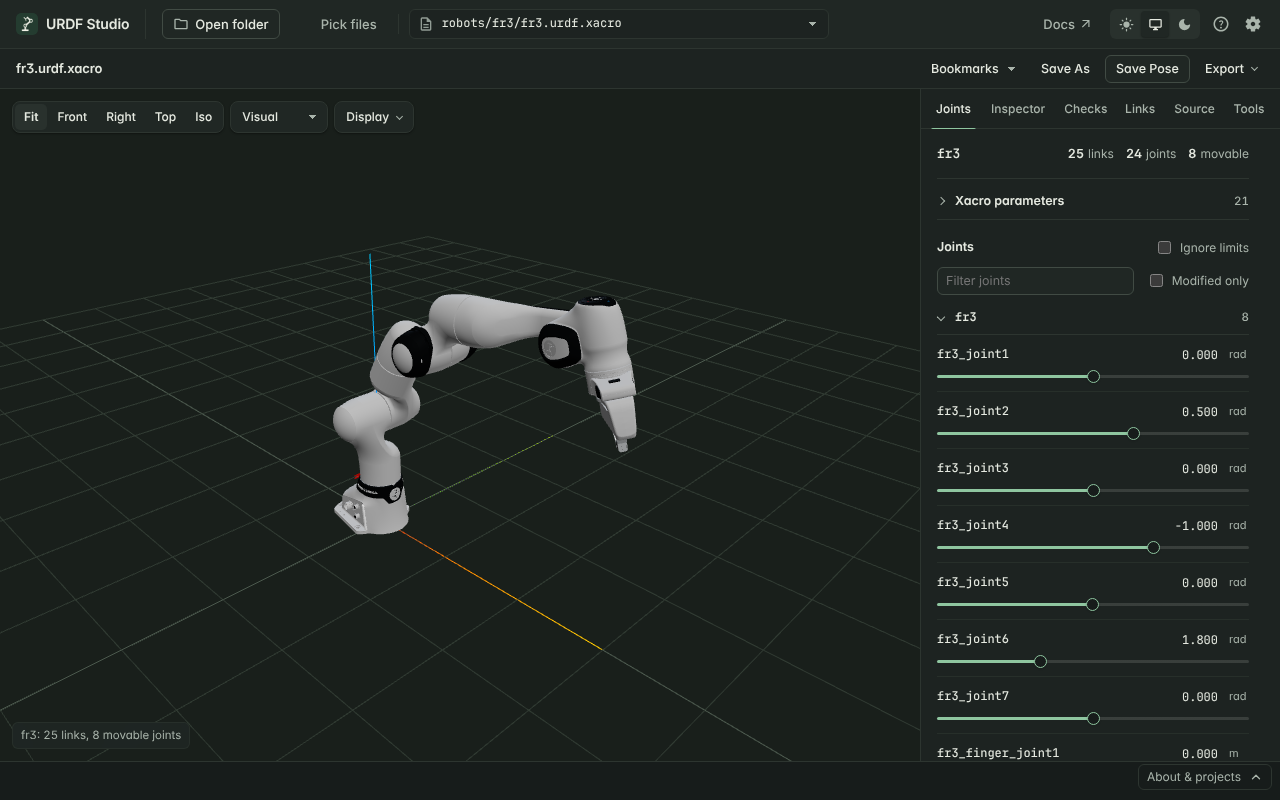
URDF Studio opens robot descriptions — ROS .urdf and .xacro files and
MuJoCo MJCF models, with their meshes — and shows the robot in 3D. You can
move every joint, click any part to see what it is, and get a list of
problems in the model with the line that causes each one.
It runs in two places, with the same features in both:
- In the browser at urdf.deyuf.org. Nothing to install. Your files are read locally and never uploaded.
- In VS Code as an extension. The preview sits next to your source and problems appear in the Problems panel.
#Start here
- New to URDF Studio? Get started walks you through opening your first robot in about two minutes.
- Already have it open? The guides below are organised by what you want to do.
#What do you want to do?
| I want to… | Read |
|---|---|
| See my robot and check it looks right | Navigate the 3D view |
| Open a MuJoCo model | View MuJoCo (MJCF) models |
| Move joints, try poses, check limits | Pose the robot |
| Find out why a mesh is missing or the model looks wrong | Find and fix problems |
| Check collision geometry against the visual model | Visual and collision geometry |
| See frames, centres of mass, inertia | Frames, labels and inertia |
| Look up mass, inertia, parent joint of one link | Inspect a link |
| Fix a URDF and see the change immediately | Edit the source |
Generate <disable_collisions> for MoveIt |
Measure, reach and collision pairs |
| Share a screenshot, pose, parts list or report | Save poses and export |
| Set xacro arguments or point to other packages | Packages, xacro args and settings |
Something not working? See Troubleshooting.
#Browser or VS Code?
| Browser | VS Code | |
|---|---|---|
| Install | None | Marketplace extension |
| Open a robot | Pick a folder | Open a .urdf / .xacro file |
| Problems list | Checks tab | Checks tab and Problems panel |
| Hover, go to definition, outline | — | Yes |
| Saving an edited file | Downloads a copy | Writes the file |
| Best for | A quick look, sharing, machines without ROS | Day-to-day work on robot descriptions |
URDF Studio is free and open source under the MIT license. Source on GitHub · VS Code Marketplace