 URDF Studio
#View MuJoCo (MJCF) models
URDF Studio opens MuJoCo models (MJCF, the <mujoco> XML format) read-only.
Joints, the Inspector, Checks, collision view, measuring and exports all work
the same way as for URDF.
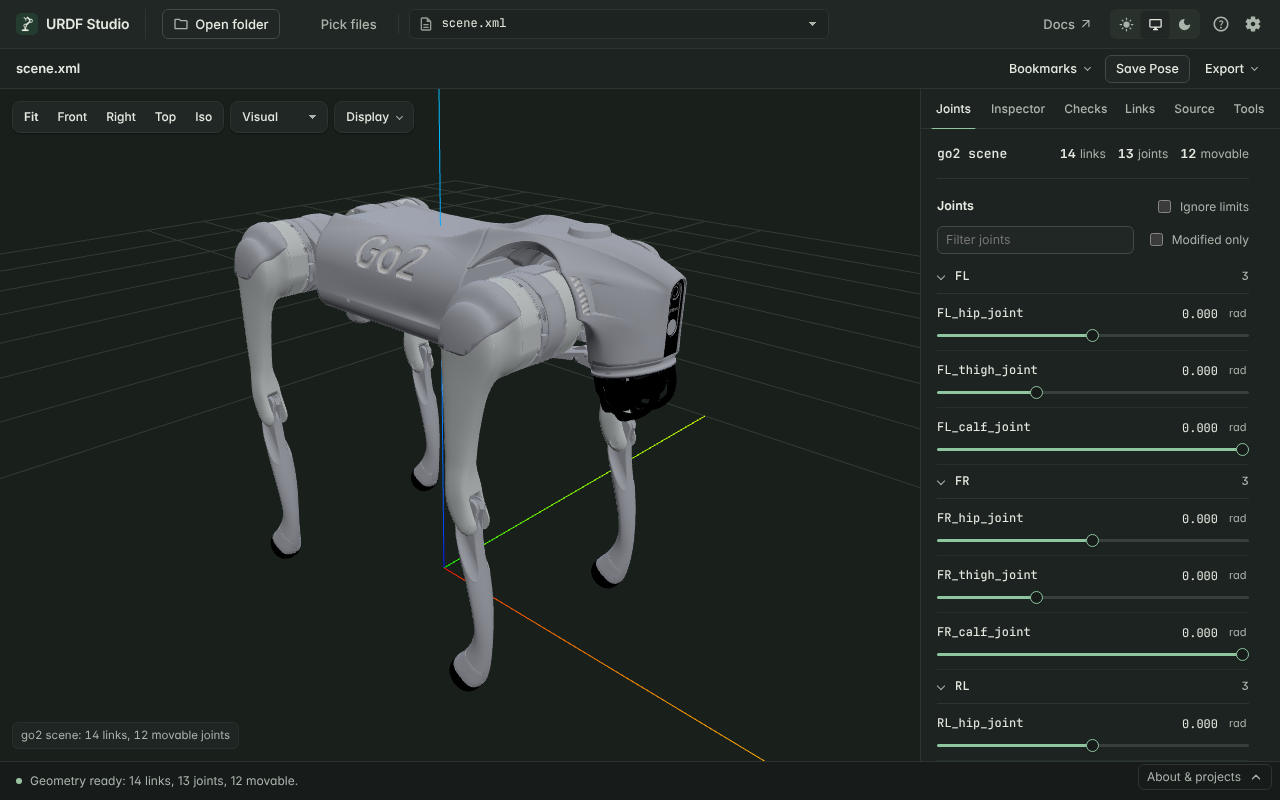
#Open a model
Open the folder that contains the model, as you would a ROS package — for
example one robot from MuJoCo Menagerie.
URDF Studio finds every .xml file whose root element is <mujoco> and lists
it with the other robot files. Menagerie's scene.xml (robot plus floor and
lights) is listed first.
In VS Code, .mjcf files open in the preview directly. For .xml files,
use the Open Preview button in the editor title bar or the URDF Studio:
Open Preview command; the file must be a MuJoCo model.
Include the whole model folder: meshes and <include> files are found
relative to the main model file and its meshdir.
#How MJCF is shown
URDF Studio converts the model to URDF for display. The Source tab shows
that URDF, marked converted from MJCF. Your MJCF file is never changed;
Ctrl+S in the Source tab saves the converted URDF as a separate .urdf
file, which is a handy way to get a URDF from an MJCF model.
| MJCF | Shown as |
|---|---|
<body> |
A link |
hinge joint |
Revolute joint, or continuous when it has no limits |
slide joint |
Prismatic joint |
| Several joints in one body | A chain of joints, in the same order |
ball, free joint |
Fixed — URDF has no equivalent |
| Geoms in groups 0–2 | Visual geometry |
Geoms that collide (contype / conaffinity not both 0) |
Collision geometry |
capsule |
A cylinder with a sphere at each end |
ellipsoid |
A sphere of the largest radius |
Infinite plane (the floor) |
Not drawn — the 3D view has its own grid |
Default classes, childclass, <frame>, <include>, fromto, every
orientation form (quat, euler with eulerseq, axisangle, xyaxes,
zaxis) and angle="degree" are supported. Joint positions match MuJoCo's
own kinematics.
When something can't be shown exactly — a ball or free joint, an ellipsoid, a height field — a note appears under Loading problems in the Checks tab, naming what was approximated.
#Differences from URDF to keep in mind
- No "missing inertia" warnings. MuJoCo computes mass and inertia from the
geoms when a body has no
<inertial>, so checkP-001is skipped. - Floating bases stay put. A body with a free joint, such as a legged robot's base, is drawn at its starting position. Its leg joints move normally.
- Not shown: actuators, tendons, equality constraints, sensors, sites, textures, height fields and meshes defined by inline vertices.