 URDF Studio
#Edit the source
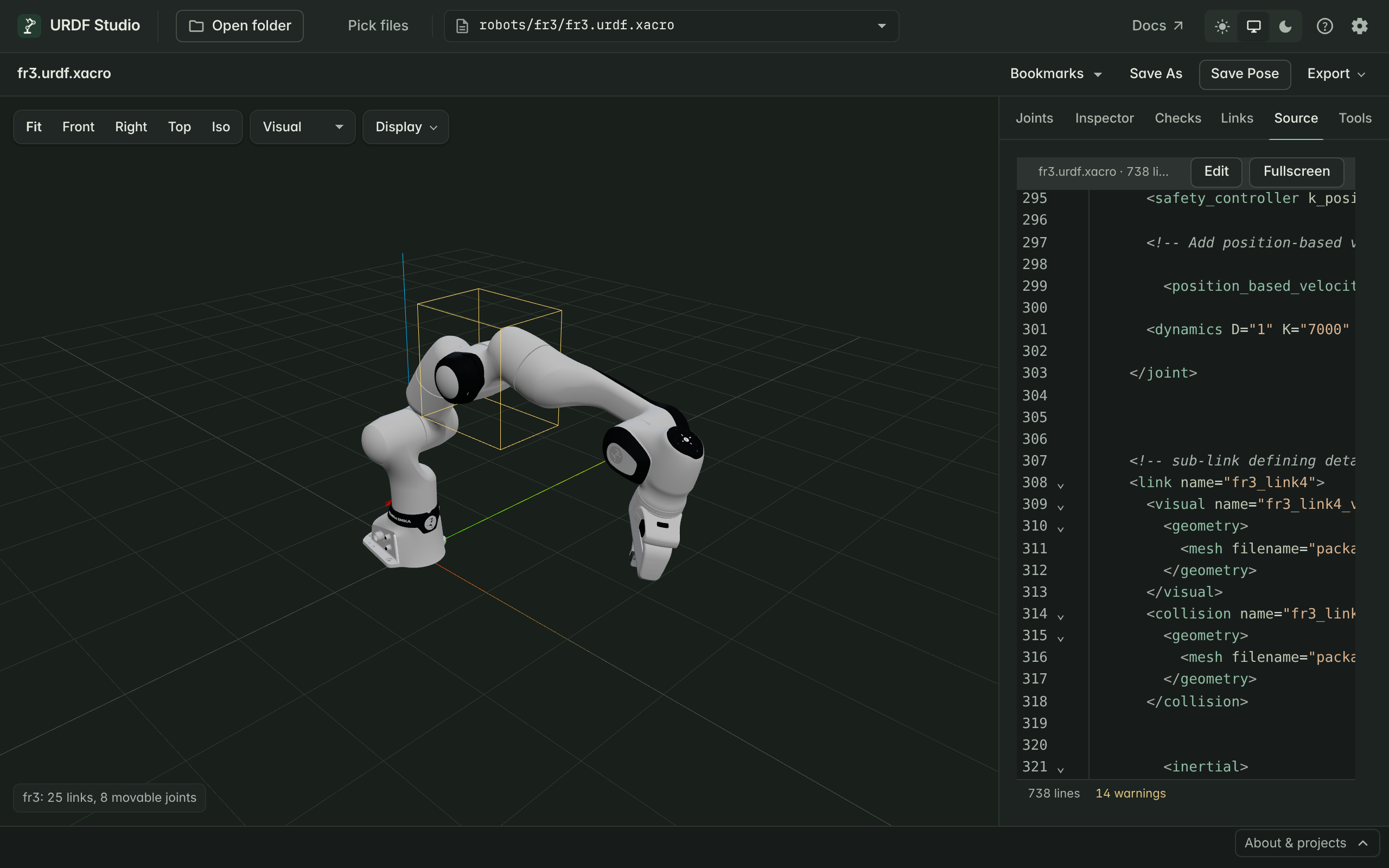
The Source tab shows the robot's URDF. Turn on editing and the 3D view updates as you type — handy for nudging an origin, fixing a limit, or trying a different mesh.
#Read the source
The Source tab is read-only at first. It highlights:
- the line of the selected link, and
- every problem from Checks, underlined in place.
Click a problem in the Checks tab to land on its line.
#Edit with live preview
- Click Edit at the top of the Source tab.
- Change the text. About a sixth of a second after you stop typing, the 3D view reloads with your change. Your pose is kept.
- Checks update at the same time, so you see straight away whether a change fixed a problem or introduced one.
While editing:
- Completion suggests link names inside
parent link="…"andchild link="…", joint types, and package names inpackage://paths. - Quick fixes are offered on underlined lines — see Find and fix problems.
#Work full screen
Click Fullscreen, or press F11 or Ctrl+Shift+F (⌘⇧F), to give the editor the whole window. The 3D view shrinks into a corner so you still see the effect of each change. Press the same key to return.
#Save your changes
Press Ctrl+S (⌘S) in the editor.
| File | Browser | VS Code |
|---|---|---|
.urdf |
Downloads the edited file; the original in your folder is not changed | Writes the file |
.xacro |
Downloads the expanded result as <name>.urdf |
Asks where to save the expanded result as a .urdf |
MJCF (.xml, .mjcf) |
Downloads the converted URDF as <name>.urdf |
Asks where to save the converted URDF |
#Editing xacro files
For a .xacro file, the Source tab shows the expanded URDF, not your
xacro source: macros, properties and includes have already been resolved.
Live preview still works, which makes it a good place to try a change
quickly.
Saving never writes over the .xacro file — the expanded text would lose
its macros and includes. The same applies to MuJoCo models, whose Source
tab shows the converted URDF. Make lasting changes in your xacro source, in
your usual editor.